
Dream League Soccer 2019 Game Overview & Legacy Setup Guide
DLS 19 System Requirements & Legacy Overview
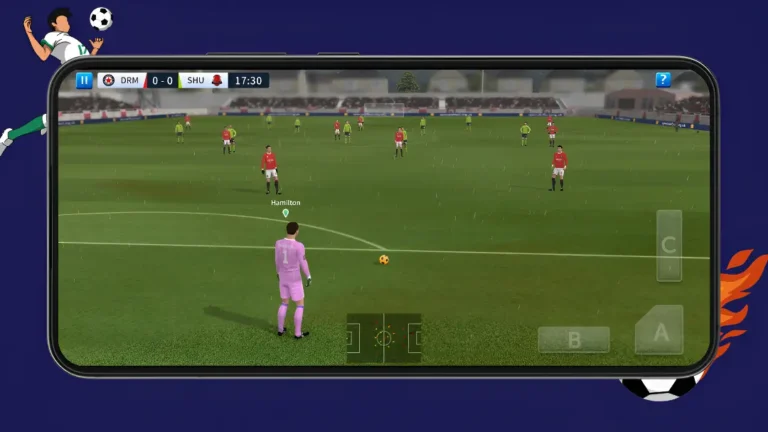
Dream League Soccer 2019, developed by First Touch Games, remains one of the most widely appreciated football titles in mobile gaming history. Combining accessible touch-driven matchplay with in-depth team management, DLS 19 allows players to build their dream club from the ground up, scout officially licensed FIFPRO™ footballers, upgrade home stadiums, and climb through multiple competitive divisions.
Please note that DLS 19 is now an unlisted legacy archive title. First Touch Games retired the 2019 release from official digital storefronts like Google Play and the Apple App Store following the rollout of subsequent annual editions. As a result, the game is no longer distributed through official stores. Existing users who previously acquired the title or maintain archived setups can continue enjoying the game offline on compatible smartphones, tablets, or computer emulators.
Because DLS 19 was engineered for mobile devices of its era, its technical demands are modest compared to modern mobile sports titles. Below are the practical requirements and operating conditions for running the game smoothly:
How to Play & Master DLS 19
Mastering Dream League Soccer 2019 requires balancing tactical match execution with long-term club development. Success depends on building a coherent roster, managing your in-game coin economy, upgrading your home facilities, and customizing your club’s identity.
1. Career Mode Progression & Squad Building
When starting Career Mode, you begin in Division 3 with a squad of lower-tier generated players and one star captain of your choosing. Your long-term objective is to earn successive promotions through Division 2, Division 1, the Junior Elite Division, and ultimately the Elite Division. To earn promotion, winning matches is only half the battle: you must also expand your stadium seating capacity to satisfy the mandatory division entry criteria.
2. Matchday Controls & On-Pitch Mechanics
3. Coin Economy & Smart Transfers
Coins are the lifeblood of your Dream League Soccer 2019 campaign. Rather than relying on expensive shortcut spending, legitimate managers maximize match rewards by scoring multiple goals, securing clean sheets, and upgrading their stadium’s commercial stand multipliers. When entering the Transfer Market, focus your initial coin balance on high-impact positions such as pacey strikers and dependable center-backs before investing in bench depth.
4. Custom Kits and Team Customization
One of DLS 19’s most enduring features is its native custom graphics support. By navigating to My Club > Customise Team > Edit Kit in the game menu, you can import custom 512×512 PNG kits and club crests simply by pasting direct image links. Once saved, these uniforms are stored locally on your device, giving your custom club an authentic matchday aesthetic without modifying game files.
Where to Go Next on This Site
Whether you need custom team uniforms, tactical gameplay walkthroughs, or device setup tips, explore our dedicated sections below: